

You plug in your iPhone, and no expected charging sound comes out. At this point, you have probably made up your mind that it is time for a repair. But wait. Before you panic and wonder about how to clean iPhone charging port, take a closer look because the real problem might not be as big as you are thinking.
Many times, dust, lint, and pocket debris go into the charging port, which causes charging issues. And it is a common thing that you can usually fix yourself. So, let’s see how to clean your iPhone’s charging port with a few simple steps without damaging your device.
Why Cleaning Your iPhone Port Actually Matters?
Every time you put your iPhone into your pocket or bag, tiny fibers and dust particles find their way into the port. And with time, these particles block the connection, which makes you think about how to clean the iPhone charging port.
You have to understand that charging only works if it is at a certain angle. Otherwise, your iPhone charges slow and would not charge at all. So, if this is happening with you, then it’s time to clean your iPhone’s charging port.
How to Clean an iPhone Charging Port? Easy Steps
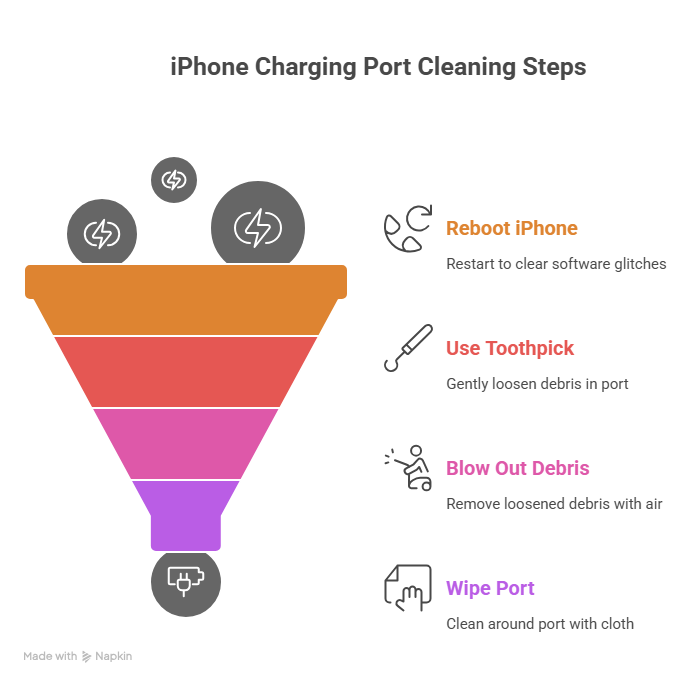
Here are the easy ways to clean your iPhone’s Lightning port:
1. Reboot Your iPhone
Sometimes iPhone charging doesn’t work due to software glitches. So, before any cleaning, try restarting your iPhone because booting up the system removes temporary system log files and cache that may prevent it from functioning properly.
2. Use a Toothpick
If restarting did not work, then you can move on to cleaning the port. The first thing you can use is a toothpick. Use it by holding your phone with the port facing down and gently inserting it. Don’t apply the force and slowly move it to loosen up dust or lint.
3. Blow Out Debris
After loosening debris, use a soft air blower to remove it. Keep the blower nozzle a few inches away because being too close can damage the port or even push debris deeper inside.
4. Wipe the Port
Use a microfiber cloth to clean the area around the port. You can also damp the cloth with isopropyl alcohol. However, do not put it inside while doing this. This is the approach Apple’s own guidelines recommend to keep your device running smoothly.
5. Test the Result
Once you are done with cleaning, plug in your charger. It should now fit properly with a light clicking sound.
And if it starts charging again, then congratulations, you did it. And if still not, then you need a professional who offers phone or tablet repairing services.
What Not to Do When Cleaning Your iPhone Port?
Here are the things you must avoid while cleaning the charging port of the iPhone:
- Don’t use any metal tools as they can damage the connector pins.
- Do not use any liquid for cleaning because it can short the circuit.
- Avoid using a vacuum cleaner because its suction can cause static charges.
- Never use any metal pins or needles, as they can permanently damage the lightning port lining.
This is how to clean the iPhone charging port safely without damaging your phone. And also note that not every time is a hardware fault.
Signs Your Charging Port Needs Cleaning
You don’t need to wait until your iPhone stops charging entirely. Here are the signs your charging port requires cleaning:
- The charging cable feels loose or does not fit in properly.
- You have to adjust it multiple times to make charging start.
- Charging interrupts frequently while plugged in.
- The device charges slowly or overheats sometimes.
If you notice any of these issues, then your lightning port needs a repair.
When to Call in a Professional iPhone Repair Service?
If cleaning the port does not fix your problem, then you can go to a professional iPhone repair service to fix your device.
iPhone charging ports are fragile, and a professional can clean them safely with specialized tools. Besides, Apple Stores often clean ports for free, but that might require an appointment.
How Often Should You Clean the Charging Port?
Regularly cleaning your phone, including the charging port in every 3 to 6 months is a good practice. If you work or live near construction sites, workshops, or even beach towns, you might need to do cleaning more often to prevent issues.
Quick Recap
- Restart your iPhone.
- Use a toothpick to remove lint.
- Use an air blower to remove dust.
- Clean around the port.
- Never use metal or liquid inside the port.
- Test the charger.
And if these still don’t make your phone charge, don’t push harder or replace the cable endlessly. It can bend the connector pins. The same case is with the laptop cleaning because it also consists of pins in the port that can bend if pushed harder.
FAQs
What can I use to clean my iPhone's charging port?
You can use a toothpick or a microfiber cloth to clean your iPhone’s charging port and its surrounded area. Avoid using any metal or sharp objects because they can damage the port.
How does Apple recommend cleaning a charging port?
Apple suggests using a soft cloth with isopropyl alcohol to clean the outside of the port. Never insert anything wet or metallic into the port itself.
Does Apple clean the charging port for free?
Yes, Apple Stores offer free port cleaning, but it usually requires you to make an appointment first. They use professional-grade tools to safely remove lint and debris.
What are the signs my iPhone port needs cleaning?
If your iPhone charges slowly, the cable feels loose, or the connection cuts in and out, then it means your phone port needs cleaning.
Final Thoughts
A blocked charging port is very common in iPhone issues. Taking precautions and applying our discussed steps on how to clean iPhone charging port can keep your phone running without flaws.
But if you have tried everything and your iPhone is still not charging, then you have to rely on professional cleaning services. And iGadget Repair is one of them. We offer quick and affordable port cleaning and iPhone repair services with certified technicians ot make your phone work again. Remember, sometimes, the smartest fix is letting an expert take care of it.

